Can I Use Stock Photos in Client Work as a Freelancer? A Practical Guide

As a freelancer, visuals are often a key part of the services you deliver—whether you’re designing websites, creating social media content, building ads, or producing marketing materials. A common and important question many freelancers ask is: Can I legally use stock photos in client work? The short answer is yes—but only if you follow the right licensing rules. This guide breaks it down clearly so you can work confidently and professionally.

Understanding Stock Photo Licensing Basics

Stock photos are images licensed for specific uses, not simply “free to use.” When you download a stock photo, you’re purchasing a license that outlines how, where, and by whom the image can be used. Most stock platforms offer royalty-free licenses, which allow broad commercial use, including client projects, without paying per use.

However, royalty-free does not mean unlimited. Licenses still come with restrictions, such as limits on redistribution, resale, or use in sensitive contexts. Reading and understanding the license terms is essential before using images in client work.

Using Stock Photos for Client Projects

In most cases, freelancers are allowed to use stock photos in client deliverables such as websites, advertisements, brochures, presentations, and social media posts. The key requirement is that the license permits commercial use and allows usage on behalf of a client.

Many platforms explicitly state that freelancers, agencies, and contractors can use assets for client work. This includes images and even video assets like Getty Images Footage, as long as the license covers commercial and third-party usage and the final product is created for a specific client.

Who Should Own the License?

One important consideration is license ownership. Some licenses are tied to the individual or business that purchased them. As a freelancer, you typically have two options:

  • Purchase the license yourself and include usage rights as part of your service.
  • Ask the client to purchase the stock photo license under their own account.

The second option is often safer for long-term projects, as it ensures the client retains legal rights even after your contract ends. This is especially important for large campaigns, ongoing ads, or high-visibility branding.

Common Restrictions Freelancers Should Know

Even with a valid license, there are limitations. Most stock photos cannot be:

  • Resold or redistributed as standalone files
  • Used in logos or trademarks without extended licenses
  • Shared with multiple clients under one license

If a client plans to use visuals across multiple brands or resell designs, an extended or enhanced license may be required.

Best Practices for Freelancers

To stay compliant and professional:

  • Always check the license type before downloading
  • Keep records of licenses used in client projects
  • Be transparent with clients about stock photo usage
  • Choose reputable platforms like Getty Images for high-quality, clearly licensed assets

Final Thoughts

Yes, you can absolutely use stock photos in client work as a freelancer—but only when you respect licensing terms and usage limits. Understanding who owns the license, how images can be used, and when extended rights are needed protects both you and your client. By following best practices and using trusted sources, you can deliver polished visuals with confidence and peace of mind.

Expert Kitchen and Bath Designers: Transform Your Home with Professional Design Solutions

We all spend countless hours in our kitchens and bathrooms yet often overlook how these spaces impact our daily lives. That’s where kitchen and bath designers step in transforming ordinary rooms into functional works of art that reflect our unique lifestyle needs.

At the intersection of aesthetics and practicality kitchen and bath designers bring specialized expertise to create spaces that work seamlessly. We’ve seen how these professionals combine their knowledge of architecture interior design and the latest industry trends to develop customized solutions. From selecting the perfect cabinetry to optimizing traffic flow they understand the intricate details that make these essential rooms both beautiful and efficient.

What Kitchen and Bath Designers Actually Do

Kitchen and bath designers create functional efficient spaces through comprehensive planning execution services. Their expertise spans multiple aspects of design construction to deliver customized solutions for residential commercial projects.

Design Services Offered

  • Create detailed 2D 3D renderings using CAD software
  • Develop specific material palettes for countertops cabinets fixtures
  • Draft lighting plans featuring task ambient decorative illumination
  • Select appropriate plumbing fixtures faucets hardware accessories
  • Configure ergonomic layouts optimizing workflow patterns
  • Recommend storage solutions maximizing space utilization
  • Design custom cabinetry specifications meeting client needs
  • Create elevation drawings detailing wall treatments tile patterns

Project Management Responsibilities

  • Coordinate with contractors architects plumbers electricians
  • Manage project timelines budgets vendor relationships
  • Review construction documents building codes regulations
  • Oversee material ordering scheduling delivery installation
  • Conduct on-site inspections ensuring quality standards
  • Handle change orders modifications during construction
  • Maintain communication between clients trades professionals
  • Document project progress through photos written reports
Design Service Average Time Investment
Initial Consultation 2-3 hours
Space Planning 8-12 hours
Material Selection 6-8 hours
Technical Drawings 15-20 hours
Project Management 10-15 hours/week

Professional Qualifications and Certifications

Kitchen and bath designers acquire specialized certifications that validate their expertise in design principles, technical knowledge, and industry standards. These credentials demonstrate their commitment to maintaining high professional standards and staying current with industry developments.

NKBA Certification Levels

The National Kitchen and Bath Association (NKBA) offers four progressive certification levels:

  • Associate Kitchen and Bath Designer (AKBD) requires 2 years of experience plus 30 hours of NKBA education
  • Certified Kitchen Designer (CKD) demands 5 years of experience with 60 hours of advanced coursework
  • Certified Bathroom Designer (CBD) needs 5 years of experience with specialized bathroom design training
  • Certified Master Kitchen and Bath Designer (CMKBD) requires both CKD and CBD certifications plus 10 years of experience
Certification Level Years of Experience Education Hours
AKBD 2 30
CKD 5 60
CBD 5 60
CMKBD 10 120

Other Important Credentials

  • American Society of Interior Designers (ASID) certification focuses on comprehensive interior design principles
  • Certified Aging-in-Place Specialist (CAPS) certification addresses accessible design solutions
  • Leadership in Energy and Environmental Design (LEED) certification emphasizes sustainable design practices
  • Universal Design Certified Professional (UDCP) certification concentrates on inclusive design strategies
  • Living in Place Professional (CLIPP) certification specializes in creating adaptable living spaces

The Design Process From Start to Finish

Kitchen and bath designers follow a structured approach to transform spaces from concept to completion. This systematic process ensures every detail aligns with the client’s vision while meeting technical specifications.

Initial Consultation and Planning

Kitchen and bath designers begin with a detailed site assessment measuring existing spaces. We create concept boards displaying color schemes layouts fixtures then develop 2D floor plans 3D renderings. Our team analyzes traffic patterns storage requirements accessibility needs to optimize functionality. A comprehensive project timeline budget breakdown follows outlining each phase milestone.

Material and Product Selection

Our material selection process focuses on durability aesthetics functionality. We compile detailed specifications for:

  • Cabinetry: Wood types finishes hardware options
  • Countertops: Natural stone engineered materials thickness profiles
  • Fixtures: Plumbing elements lighting solutions appliances
  • Flooring: Materials patterns installation methods
  • Hardware: Cabinet pulls handles faucets accessories

Each selection includes pricing lead times availability ensuring project timeline alignment. We create material boards displaying actual samples helping clients visualize combinations textures.

Installation Oversight

Professional oversight during installation maintains design integrity construction quality. Our process includes:

  • Coordinating delivery schedules with suppliers contractors
  • Conducting regular site inspections verifying proper installation
  • Managing punch lists addressing installation issues
  • Ensuring compliance with design specifications building codes
  • Performing final walkthrough with clients contractors
  • Documenting completion photos warranty information

We maintain constant communication between trades ensuring seamless execution of design plans while adhering to established timelines budgets.

Benefits of Hiring a Professional Designer

Professional kitchen and bath designers bring invaluable expertise to transform spaces while maximizing investment value. Their knowledge prevents common pitfalls while providing access to exclusive resources.

Avoiding Costly Mistakes

Professional kitchen and bath designers prevent expensive errors through:

  • Accurate measurements that ensure perfect-fitting cabinetry specifications
  • Code-compliant electrical outlet placement in wet areas
  • Proper ventilation system sizing based on room dimensions
  • Strategic plumbing configurations that minimize structural modifications
  • Material selections appropriate for high-moisture environments
  • Space planning that accounts for door swings clearances
  • Lighting plans that eliminate shadowed work areas

Access to Trade Resources

  • Direct ordering from premium manufacturers at trade pricing
  • Priority scheduling with trusted contractors specialists
  • Custom fabrication options not available to retail customers
  • Early access to new product releases advanced collections
  • Quality assurance guarantees on materials workmanship
  • Streamlined permitting processes through established channels
  • Consolidated shipping logistics for multiple vendors
Trade Resource Benefits Average Cost Savings
Wholesale Cabinetry 20-30%
Designer Fixtures 15-25%
Custom Millwork 25-35%
Premium Appliances 10-20%
Specialty Materials 15-30%

How to Choose the Right Designer

Selecting a kitchen and bath designer requires careful evaluation of their expertise, experience, and compatibility with your project vision. Here’s a strategic approach to finding the perfect match for your renovation needs.

Questions to Ask During Interviews

  • Verify professional credentials by asking about NKBA certifications such as AKBD, CKD or CBD
  • Inquire about project timelines including design phases, material procurement and installation schedules
  • Request detailed information about their fee structure, payment schedules and change order policies
  • Discuss communication protocols including frequency of updates, preferred methods and availability
  • Ask about their experience with projects similar to yours in scope, style and budget range
  • Confirm their relationships with contractors, suppliers and other trades
  • Review their process for handling unexpected issues during construction
  • Clarify warranty coverage for both design services and recommended products

Reviewing Portfolios and References

  • Examine completed projects within the past 3 years to assess current design capabilities
  • Look for diversity in design styles to ensure versatility in meeting client preferences
  • Check for consistency in quality across multiple projects
  • Request contact information for 3-5 recent clients with similar project scopes
  • Review before and after photos to evaluate transformation potential
  • Assess their expertise with specific materials or features you’re considering
  • Verify their ability to work within various budget ranges
  • Contact references to inquire about:
  • Project completion timelines
  • Budget adherence
  • Communication effectiveness
  • Problem-solving abilities
  • Post-project support

Typical Project Costs and Timelines

Kitchen and bath designers structure their project costs based on scope complexity, material selections, and labor requirements. Here’s a detailed breakdown of typical investments and timeframes:

Project Investment Ranges

Project Type Basic Range Mid-Range Luxury Range
Kitchen Design $15,000 – $30,000 $30,000 – $75,000 $75,000+
Bathroom Design $10,000 – $20,000 $20,000 – $50,000 $50,000+
Design Fees 8-10% of project 10-15% of project 15-20% of project

Project Timeline Phases

Phase Duration
Initial Consultation 1-2 weeks
Design Development 2-4 weeks
Material Selection 2-3 weeks
Order Processing 4-8 weeks
Construction/Installation 6-12 weeks

Cost Influencing Factors

  • Material grade selections: countertops, cabinetry, fixtures
  • Structural modifications: load-bearing walls, plumbing relocations
  • Custom elements: built-ins, specialty finishes, handcrafted details
  • Permit requirements: local codes, historic district regulations
  • Installation complexity: existing condition remediation, access limitations

Timeline Variables

  • Material availability: custom orders, specialty finishes
  • Contractor schedules: crew allocation, trade coordination
  • Permit processing: municipal review periods, inspection scheduling
  • Site conditions: unforeseen issues, remediation requirements
  • Seasonal factors: weather impacts, holiday schedules

Kitchen and bath designers typically complete full renovations within 12-16 weeks from design approval to final installation. Complex projects involving structural changes or custom elements extend timelines to 16-24 weeks.

Working With Your Designer Successfully

Effective Communication

Communication establishes the foundation for a successful design project. Schedule regular meetings with your designer at specific intervals during the project lifecycle. Share inspiration images, magazine clippings or digital pins that represent your style preferences. Document all decisions in writing through emails or project management software to maintain clear records of choices made.

Project Documentation

Create a dedicated folder system to organize:

  • Material selections with specifications
  • Approved design drawings
  • Change orders with signatures
  • Payment schedules
  • Installation timelines
  • Contractor contact information

Decision-Making Timeline

Follow these critical checkpoints to maintain project momentum:

  • Review preliminary designs within 3 days
  • Select cabinet styles by week 4
  • Finalize appliance specifications by week 6
  • Choose countertop materials by week 8
  • Approve lighting plans by week 10

Budget Management

Track expenses systematically through:

  • Line-item cost breakdowns
  • Change order documentation
  • Payment milestone schedules
  • Material deposit requirements
  • Labor cost allocations

Site Preparation

Prepare your space before construction:

  • Clear work areas completely
  • Photograph existing conditions
  • Document valuable items
  • Create temporary kitchen setups
  • Establish dust containment zones
  • Mark utility shutoff locations

Installation Oversight

Monitor the installation process by:

  • Reviewing daily progress reports
  • Attending scheduled site meetings
  • Photographing completed phases
  • Noting any deviations from plans
  • Maintaining punch list items
  • Documenting material deliveries

By adhering to these structured guidelines, you’ll create an efficient partnership with your kitchen and bath designer while keeping your renovation project organized and on track.

Conclusion

Working with professional kitchen and bath designers transforms our living spaces into functional works of art. These certified experts bring invaluable knowledge technical expertise and creative vision to every project they undertake.

Their comprehensive understanding of design principles materials and project management ensures that our investments yield the best possible outcomes. We’ve seen how their specialized training and access to exclusive resources can save us time money and prevent costly mistakes.

By choosing the right designer we’re not just hiring a professional – we’re investing in our home’s future value and our daily comfort. The impact of thoughtful well-executed kitchen and bathroom design extends far beyond aesthetics creating spaces that truly enhance our lifestyle for years to come.

110+ Beautiful Sunny Good Morning Images to Brighten Your Day (2024)

Starting each day with a bright and cheerful message can set a positive tone for what lies ahead. We’ve noticed how good morning sunshine images have become increasingly popular for sharing warm greetings and spreading joy in our digital communications.

From serene sunrise scenes over calm waters to vibrant sunflowers against clear blue skies, these uplifting images capture nature’s morning beauty in countless ways. Whether it’s a glowing orange sun peeking through tree silhouettes or misty clouds hovering over rugged landscapes, these visual greetings combine natural elements with inspiring messages to create the perfect morning motivation.

Beautiful Sunrise Good Morning Images

Sunrise good morning images capture nature’s most magnificent spectacle in pristine detail. These images blend natural light with scenic elements to create inspiring visual messages for morning greetings.

Natural Sunlight Photography

Sunrise photography showcases golden rays piercing through morning mist creating bokeh effects across landscapes. The images feature:

  • Soft-focused sunbeams filtering through tree canopies
  • Warm orange hues painting clouds at daybreak
  • Glowing horizons with sun rays streaming across water bodies
  • Natural lens flares adding sparkle to morning dew
  • Mountain silhouettes bathed in golden sunlight
  • Reflective lakes mirroring sunrise colors
  • Country roads illuminated by dawn’s first light
  • Lush green fields beneath vibrant morning skies
  • Coastal scenes with sun rising over distant headlands
Image Element Visual Impact
Golden Hour Light Creates warm, inviting tones
Natural Elements Adds depth and perspective
Sky Conditions Provides dramatic backgrounds
Water Features Doubles visual impact through reflections

Inspirational Morning Sunshine Quotes

Sunny good morning images paired with inspirational quotes create powerful visual messages that energize the start of each day. These thoughtfully crafted combinations blend uplifting words with radiant imagery to inspire positivity.

Positive Messages With Sun Imagery

  • “Rise and shine” overlaid on golden sunrise scenes
  • “Hello sunshine” text complementing bright sunburst backgrounds
  • “Every day is a fresh start” accompanied by dawn landscapes
  • “Good morning, beautiful day” paired with sun-drenched meadows
  • “Let your light shine” featured with sunbeams through trees
  • Bold sans-serif fonts create clear visibility against bright backgrounds
  • Handwritten scripts add a personal touch to sunrise scenes
  • Strategic text placement ensures readability over light rays
  • White or gold lettering pops against morning sky gradients
  • Layered shadow effects enhance text visibility on sunny images
Typography Style Best Background Visual Impact
Script fonts Soft sunrise scenes Elegant & romantic
Block letters Bright sun rays Bold & energetic
Mixed fonts Cloud formations Dynamic & modern
Minimalist text Clear blue skies Clean & fresh

Finding and Sharing Morning Sun Images

Locating and distributing sunny good morning images requires understanding popular categories and knowing the best platforms for sharing. Here’s a comprehensive guide to help navigate the world of morning inspiration.

Popular Image Categories

Morning sun images fall into distinct categories that resonate with different audiences:

  • Natural landscapes featuring rising suns over mountains lakes or beaches
  • Urban scenes with sunlight filtering through city buildings
  • Close-up shots of dewdrops glistening in morning light
  • Floral compositions basking in early sunlight
  • Minimalist designs combining sun symbols with typography
  • Artistic interpretations using watercolors digital art or illustrations

Best Platforms for Sharing

Each platform offers unique advantages for sharing morning sun images:

Social Media Platforms

  • Instagram: Square format optimized for sunrise shots
  • Pinterest: Vertical orientation ideal for phone wallpapers
  • Facebook: High-resolution support for detailed landscape photos
  • Twitter: Compressed formats for quick sharing
  • WhatsApp: Direct sharing with preserved image quality
  • Telegram: Cloud storage for high-resolution collections
  • Signal: Private sharing with end-to-end encryption
  • Discord: Community-focused image sharing channels
  • Imgur: Public gallery creation options
  • Flickr: Professional photography communities
  • Google Photos: Private album sharing capabilities
  • DeviantArt: Artist-focused sharing platform

Creating Custom Morning Sunshine Graphics

Creating personalized sunny good morning images requires specific editing techniques and artistic elements. Here’s how to craft engaging morning visuals that capture attention and convey warmth.

Photo Editing Tips

  • Adjust brightness levels to +20-30% to enhance the sun’s natural glow
  • Increase warmth temperature to 5500-6500K for golden morning tones
  • Apply graduated filters to balance bright skies with darker foregrounds
  • Create a soft morning haze using gaussian blur at 10-15% opacity
  • Enhance colors selectively:
  • Orange/yellow +15%
  • Blue sky -10%
  • Green foliage +5%
  • Position text in clear spaces away from focal points
  • Layer styles for text:
  • Drop shadow: 30% opacity black
  • Outer glow: 20% opacity white
  • Letter spacing: 110-120%
  • Text color combinations:
  • White on dark areas
  • Dark gray on light areas
  • Gold (#FFD700) for emphasis
  • Special effects:
  • Light rays: 45-degree angle
  • Lens flare: 25% opacity
  • Morning mist overlay: 15% opacity
  • Subtle vignette: 10% darkness
Effect Type Recommended Settings Purpose
Brightness +20-30% Enhance sunlight
Color Temp 5500-6500K Create warm tones
Text Size 72-96px Ensure readability
Opacity 85-90% Maintain visibility

Conclusion

Sunny good morning images have become an essential part of our daily digital interactions. We believe these vibrant visuals paired with uplifting messages can truly transform how we approach each new day. From breathtaking sunrises to carefully crafted designs they offer endless possibilities to spread warmth and positivity.

Whether we’re sharing nature’s beauty through sunrise photos or creating custom graphics with inspiring quotes these images help us connect and inspire others. By understanding how to find create and share these cheerful morning visuals we can all contribute to making mornings brighter for everyone in our digital community.

Discover 15 Million New 4K Adobe Stock Videos: Quality, Integration & Affordable Plans

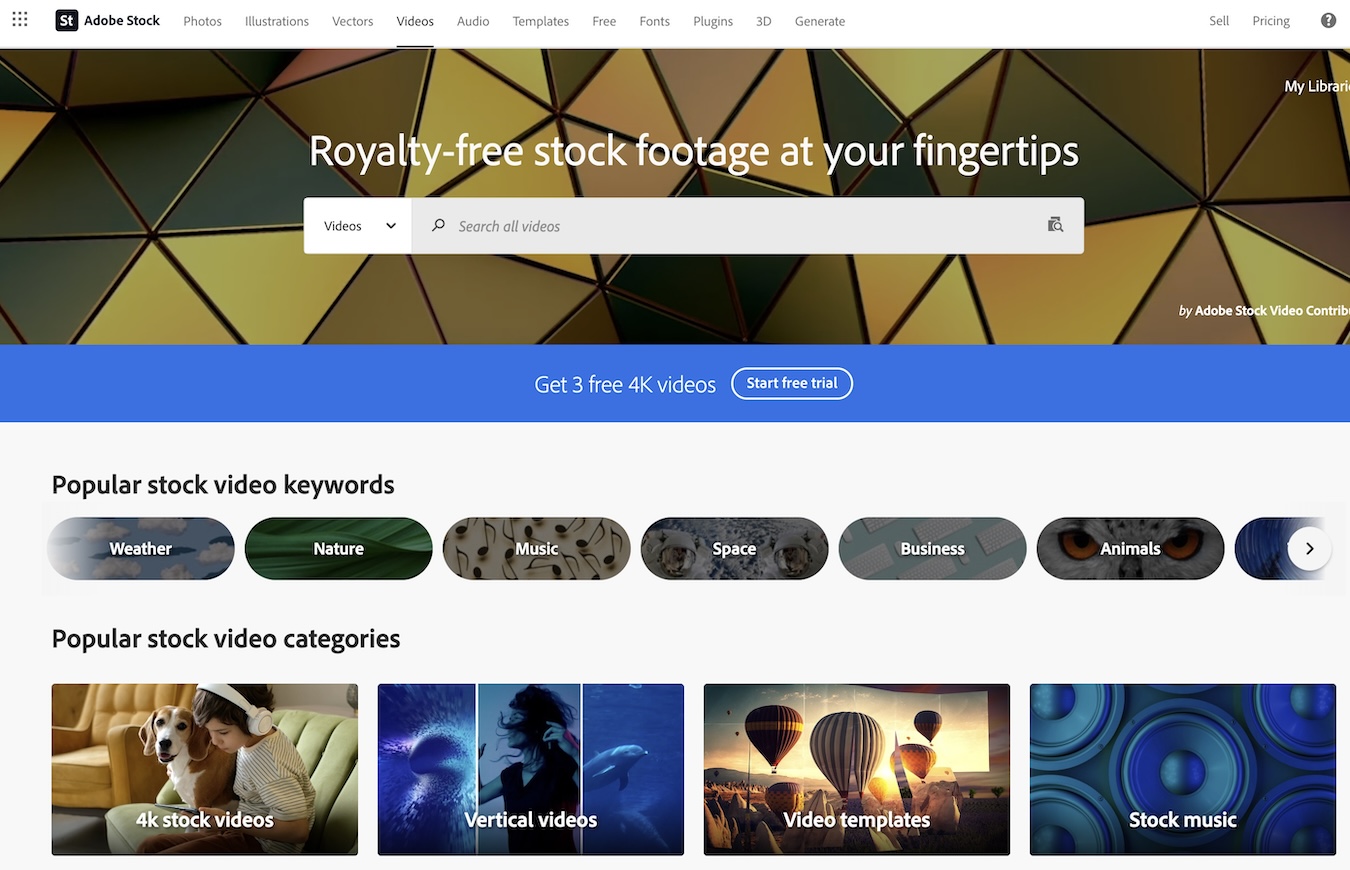
In today’s visually driven world, the demand for high-quality video content is skyrocketing. Adobe Stock has been quietly preparing for a significant move in this space, and it looks like that moment has arrived. With the recent addition of 15 million new 4K videos to their library, Adobe Stock is making waves in the stock asset market.

Gone are the days when 4K resolution was a luxury reserved for elite projects. Now, it’s becoming the standard, offering unmatched clarity and detail that make HD look almost outdated. This massive expansion means Adobe Stock subscribers can now access an unparalleled variety of top-tier video content without any extra cost—all seamlessly integrated into Adobe’s Creative Cloud suite.

As someone who frequently works with video production tools like Photoshop and Premiere Pro, I find this integration incredibly convenient. You can browse, license, and edit stock footage directly within your design interface—no need to switch between multiple platforms.

Features of Adobe Stock Videos

Adobe Stock offers a robust selection of video content that caters to a wide range of creative needs. Here are some key features that make it stand out in the stock video market.

High Definition And 4K Video Options

One of the most impressive aspects of Adobe Stock is its extensive collection of high-definition (HD) and 4K videos. With over 20 million HD videos available, creators can find footage suitable for almost any project. The platform also offers significant savings; HD videos can be purchased for as low as $7.99, which translates to an 80%+ saving compared to on-demand purchases. For those needing even higher quality, Adobe Stock provides options to save 20% on 4K videos and premium assets.

Extensive Video Categories And Styles

Adobe Stock excels in offering a diverse range of video categories and styles. From vertical videos perfect for social media platforms to intricate video loops and backgrounds, there’s something for every type of project. The library boasts over 23 million high-quality, royalty-free stock videos that cover animation, video effects, and more. This diversity ensures that users can always find footage that aligns perfectly with their vision.

Customizable Video Templates

Another standout feature is the availability of customizable video templates. These templates allow users to quickly create professional-grade content without starting from scratch. Whether you need an eye-catching opener or a sleek transition effect, Adobe Stock’s extensive template library has got you covered. This feature not only saves time but also helps maintain consistency across different projects.

Adobe Stock’s commitment to providing high-quality and versatile video options makes it an invaluable resource for creators looking to enhance their work seamlessly within the Creative Cloud suite.

User Experience

Using Adobe Stock videos within Adobe’s Creative Cloud is a game-changer for video editors. The seamless integration and robust search functionalities make it an invaluable tool for content creators.

Integration with Editing Software

One of the standout features of Adobe Stock is its native integration with most Creative Cloud apps, including Premiere Pro, After Effects, and Premiere Rush. This means I can search, preview, customize, and license video assets directly from these applications without switching between different software. For instance, in Premiere Pro, I can drag high-quality video previews directly into my sequences to test them out before making any final decisions. This streamlined workflow saves time and allows me to experiment with various clips until I find the perfect fit for my project.

Search Functionality and Filters

Adobe Stock excels in making it easy to find exactly what I’m looking for. With 11 million HD stock videos and over 4 million 4K footage clips available, it’s crucial to have effective search tools. The platform offers advanced filters that let me narrow down my options by resolution (HD or 4K), theme, style, duration, and even color palette. Additionally, I can add watermarked unlicensed previews to my workboard at no cost and work with them as placeholders until I’m ready to finalize my choices. Once satisfied with the result, licensing the asset updates it automatically to a higher-resolution file without watermarks—ensuring a smooth transition from preview to final product.

Adobe Stock’s user-centric design makes it easier than ever to incorporate premium video content into my projects while maintaining a fluid editing process through powerful search capabilities and seamless integration with top-tier editing software.

Pros of Using Adobe Stock Videos

Adobe Stock offers numerous benefits that make it a go-to resource for video content creators. Here’s a closer look at some of the key advantages.

Wide Range of License Options

One of the standout features of Adobe Stock videos is their extensive licensing options. Users can choose between standard and extended licenses based on their specific needs. The enhanced license is particularly noteworthy as it allows for unlimited views and reproductions beyond the typical 500,000 copy/viewer restriction. This flexibility means you can use the same video in multiple projects without worrying about hitting any limits.

Additionally, Adobe Stock’s royalty-free model ensures you only pay a one-time fee per download, which covers usage across various platforms such as broadcast, digital websites, and social media. For example, downloading a 1080p HD video costs $79.99 under this model, making it an economical choice for high-quality content with no distribution volume limitations.

Accessible to Various User Levels

Adobe Stock makes its vast library accessible to users across different skill levels and project requirements. One of the major perks is its seamless integration with Creative Cloud applications like Premiere Pro and After Effects. This integration streamlines your workflow by allowing you to search, preview, customize, and license videos directly within these apps.

Moreover, Adobe Stock offers affordable subscription plans and credit packs tailored to fit individual users as well as teams and enterprises with varying budgets. Whether you’re an independent creator or part of a larger organization, there are pricing options designed to meet your needs without breaking the bank.

The platform also features user-friendly search functionalities and filters which simplify finding exactly what you need quickly—be it footage highlighting office corridors caught on CCTV cameras or panoramic shots of editors working near computer monitors. This ease of use ensures that even those new to video editing can navigate Adobe Stock efficiently and effectively integrate premium content into their projects.

Cons of Using Adobe Stock Videos

While Adobe Stock offers many benefits, some drawbacks might make it less appealing depending on your needs. Here are a few key considerations to keep in mind.

Cost Considerations

One of the primary concerns with Adobe Stock videos is the cost. The pricing can be steep, particularly for high-resolution content. For example, an HD video download costs 8 credits, while a 4K video requires 20 credits. Considering that credit packs come at a significant price, acquiring multiple videos can quickly add up.

Additionally, although subscription plans are available, these typically include standard licenses for standard assets only and do not cover Premium assets or videos. This means that even if you have a subscription plan, you may need to purchase additional credits for specific high-quality or unique content.

Here’s a quick look at the costs:

Video Type Credits Required
HD Video 8 Credits
4K Video 20 Credits

Limitations on Usage Depending on License

Adobe Stock’s licensing terms also present certain limitations that users should consider carefully. A Standard License limits reproduction to 500,000 copies or viewers. This restriction could be problematic for larger projects aimed at broader audiences or those requiring extensive distribution.

For more extensive use cases without viewer limitations, an Enhanced License is required. While this license removes the viewer cap and allows greater flexibility in reproduction beyond the standard threshold, it still doesn’t permit distributing the stand-alone file or creating merchandise where the asset itself holds primary value.

Understanding these nuances ensures you’re fully aware of what each license entails and helps avoid potential legal issues down the road due to misuse or overuse under incorrect licensing terms.

Performance

When it comes to performance, Adobe Stock videos deliver impressive results that cater to both amateur videographers and professional content creators.

Quality and Resolution of Stock Videos

Adobe Stock is known for its high-quality video offerings. The platform accepts videos with a minimum resolution of 1080 pixels on both sides, ensuring that even the lowest quality submissions meet Full HD standards. With over 15 million new 4K videos added to their library, users have access to some of the highest resolution stock footage available on the market. This focus on high resolution allows for more flexibility in post-production tasks like zooming and cropping without losing image clarity.

Moreover, contributors are encouraged to submit well-lit and properly exposed videos free from visual and audio noise. This attention to detail ensures that every clip you download maintains a consistent level of quality which is crucial when working on professional projects.

Download Speeds and Accessibility

One of the standout features of Adobe Stock is its seamless integration with Adobe Creative Cloud apps like Premiere Pro and After Effects. This tight integration means you can browse, license, and download stock footage directly within your editing software without needing to switch between multiple platforms.

Download speeds are also quite commendable given the high file sizes associated with HD and 4K videos. The platform aims to make these high-quality assets accessible quickly so you can maintain your workflow efficiency.

Additionally, Adobe’s multi-asset plans include HD video downloads at significantly reduced costs—over 80% savings compared to purchasing individual clips on demand—which makes it an attractive option for those who require frequent access to stock footage. This affordability combined with robust performance features makes Adobe Stock a strong contender in the realm of stock video services.

Comparison with Alternatives

When considering Adobe Stock for video content, it’s important to compare it with other major stock video providers. Each platform has its own strengths and weaknesses, and the best choice depends on your specific needs.

Library Size

Adobe Stock boasts an impressive library of 15 million 4K videos. This extensive collection ensures you have a wide variety of content to choose from. However, Shutterstock is another strong contender in this category with an equally vast library that includes photos, videos, music, and even 3D models. Envato Elements also offers a large collection but focuses more on affordability and variety rather than sheer volume.

Integration

One of Adobe Stock’s standout features is its seamless integration with Adobe Creative Cloud applications like Premiere Pro and After Effects. This allows users to browse, license, and edit stock footage directly within these programs without switching between platforms. While Shutterstock offers plugins for various software applications, it doesn’t match the deep integration that Adobe Stock provides within the Creative Cloud ecosystem.

Quality

Quality is a crucial factor when selecting stock videos. Adobe Stock excels in offering high-quality media files suitable for professional projects. The submissions are well-lit and meticulously curated to maintain consistency across different genres. Shutterstock also provides high-quality options but often lacks the meticulous curation seen in Adobe Stock’s offerings. Envato Elements delivers good quality too but may vary as it caters more towards budget-conscious users.

Pricing

Adobe Stock can be expensive at $79.99 per 1080p HD video download which might be steep for some users especially those working on multiple projects or requiring frequent downloads. On the other hand, Shutterstock offers flexible pricing plans including subscription models that can be more cost-effective for bulk usage. Envato Elements shines here by providing unlimited downloads through a monthly subscription which makes it extremely attractive for freelancers or small businesses needing various assets regularly.

Provider Price (Per Download) Subscription Options
Adobe Stock $79.99 Multi-asset plans available
Shutterstock Variable Subscription models available
Envato Elements Included in subscription ($33/month) Unlimited downloads

Hands-on Experience

Exploring Adobe Stock’s video library has been a game-changer for my projects. The platform offers an impressive array of high-quality videos that cater to various needs.

Navigating the Video Library

Navigating through Adobe Stock’s video library is straightforward and user-friendly. The platform provides over 23 million HD and 4K stock videos, which can be easily searched using specific keywords or filters like resolution and duration. I found the curated collections particularly useful as they feature hand-picked content aligned with current commercial trends. For instance, if you’re looking for immersive real-world footage, you can simply search for GoPro videos and get exactly what you need without any hassle.

Testing Video Download and Integration

Downloading and integrating videos from Adobe Stock into my workflow was seamless, especially with its integration into Adobe Creative Cloud applications like Premiere Pro and After Effects. You can browse and license footage directly within these apps without having to switch between different interfaces. One of the standout features is the ability to add watermarked preview clips to your project before committing to a purchase. This allows for ample testing time to ensure the selected footage fits perfectly in your project.

Feature Details
Number of Videos Over 23 million HD & 4K
Specific Search Types Keywords, Filters (resolution, duration), Curated Collections
Integration Directly within Premiere Pro & After Effects

At $79.99 per 1080p HD download, the pricing might seem steep compared to competitors but considering the quality and ease of integration with Creative Cloud apps, it’s a worthwhile investment for serious creators looking for top-tier stock footage.

Final Verdict

Adobe Stock Videos stand out for their exceptional quality and seamless integration with Adobe Creative Cloud. Despite a slightly higher price point, the extensive library of 4K content and user-friendly navigation make it a valuable resource. For serious creators needing top-tier stock footage, investing in Adobe Stock is definitely worth considering.

Adobe Stock Review: Praises from Creative Cloud Members

image_1

New to the stock photo agency, Adobe Stock has impressed a lot of people, especially the members of Creative Cloud. Adobe Stock photography is integrated with Adobe applications commonly used by bloggers, entrepreneurs, students and other professionals. Currently, the website is contained in Adobe’s private site but it has not stopped users from praising the new stock photo site. We managed to get some reviews from members of Creative Cloud.

Sherrie, 18, Student
Hi! Being part of the digital generation, pretty much everything we need for our homework and projects are found over the Internet. In grade school, we used to gather tangible photographs for our scrapbooks. Now, we have online journals that we cheer up through cheap stock photos. I am a member of Creative Cloud since I use Photoshop to edit my photos. With Adobe Stock integrated in the app, I can directly download them to my library.

Cyrus, 28, Web Designer
As a web designer, I am in constant need of cheap stock photos for my project. As a Creative Cloud user, I am overjoyed with the launching of Adobe Stock. I no longer need to download photos from stock photo agencies to my computer. For my current project, I suggested to my client the use of Adobe Stock photography. We are happy it is integrated to my photo-editing software as we are able to save time and money.

Arnold, 32, Entrepreneur
My Adobe Stock review is no different than the others. I love it! I get to choose from millions of high-quality images to highlight my business. I get to promote my products and services with more finesse and class. I am now on a subscription plan since I’m a member of Creative Cloud. I am currently enjoying discounts, which is the best part of it all.

Sandra, 27, Freelance Writer
I’ve been in the online business for five years and I have encountered a lot of clients who require cheap stock photos with their orders. Although a lot of good pictures are available for free over the Internet, I am not sure if they are safe to use. With all the copyright issues rampant in the industry, I don’t want to take a risk. One illegal photograph could make my clients’ and my career histories. So, I only use cheap stock photos and edit them with my Creative Cloud software. When I heard about Adobe Stock, I was thrilled. No more downloads and full storages for me!

3D of Color Speech Bubbles Design

3D of Color Speech Bubbles Design Adobe Stock has certainly made the lives and careers of Creative Cloud users a lot easier. No matter what field they are in, they surely get a chance to succeed in whatever they do. All thanks to Adobe’s wonderful stock photography website, being a student, blogger, and businessperson is a lot more fun and interesting.